Software / THE STANK
THE STANK
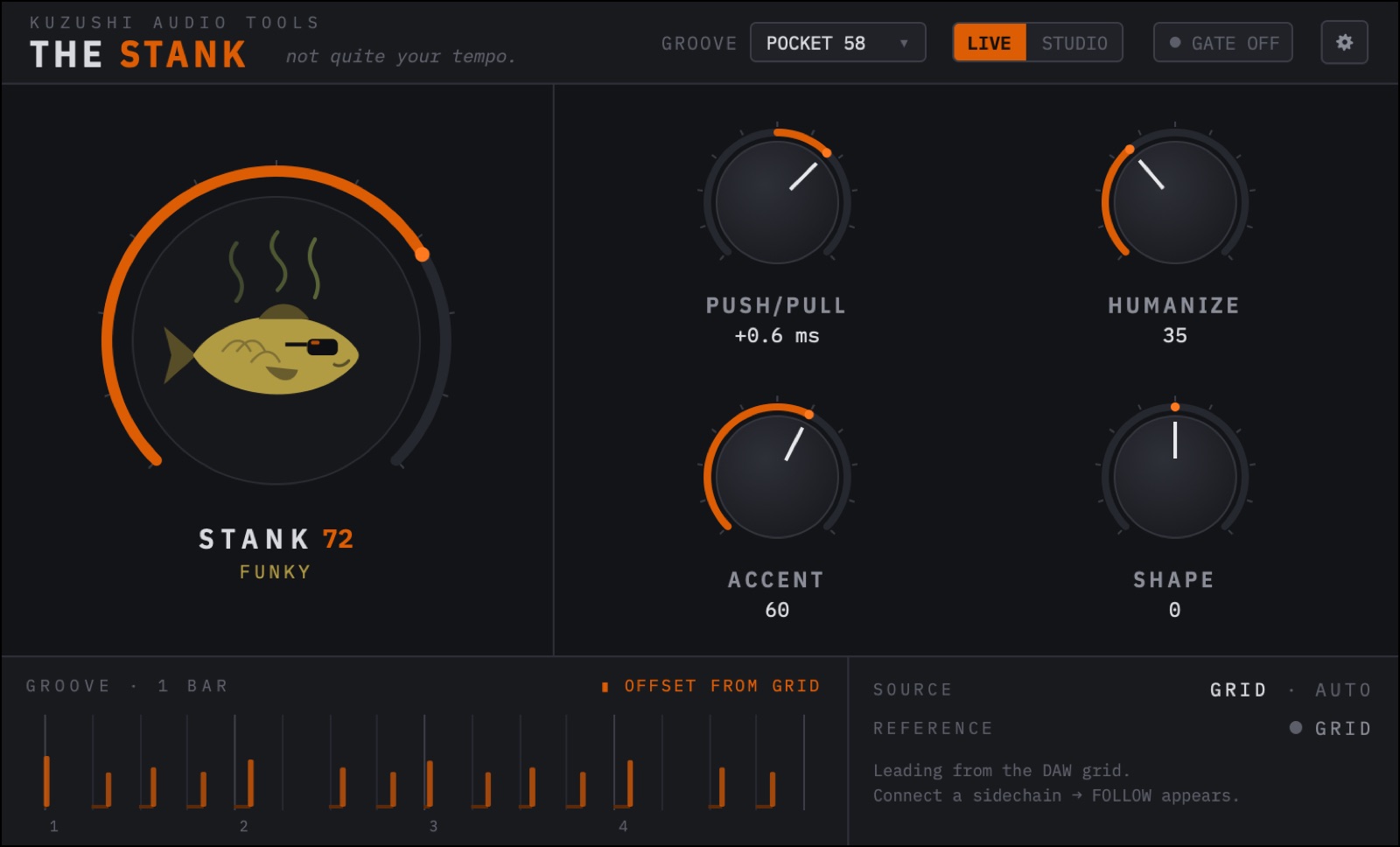
Groove shaper · not quite your tempo.A small insert that shapes how instruments play together, directly on audio, no MIDI conversion. One track leads, the others follow its feel and keep their own parts.
Try it in the browser
Pick a drum track as leader and a melodic part as follower, or upload your own stems. Turn up STANK on the leader, then switch to the follower and set FOLLOW.
- 01InsertPut it on a track. Without a sidechain it grooves against the DAW grid.
- 02StankTurn it up. Push/Pull, Humanize, Accent and Shape fine-tune the feel.
- 03FollowSidechain the leader into other tracks. They lock to its timing.
Two instances, like in your DAW: THE STANK on the leader track grooves against the grid; the instance on the follower gets the processed leader as sidechain, so FOLLOW appears. Switch instances with the tabs. Operated exactly like the plugin: drag knobs up and down, Cmd/Ctrl for fine, double-click or Alt-click to reset. Uploaded stems should start on the same bar; tempo is detected from the leader. The sound is a simplified rebuild.
In detail
Five controls
STANK is the macro: 0 leaves the audio as it is, more pulls it into a groove. PUSH/PULL leans the timing ahead of or behind the reference, up to 15 ms. HUMANIZE adds variation that repeats exactly on every playback. ACCENT sets the contrast between strong and soft hits. SHAPE moves the balance between attack and sustain.
Leader and follower
Without a sidechain, THE STANK grooves against the DAW's tempo and beat. With a sidechain it follows the track you feed it. FOLLOW runs from INDEPENDENT through MUSICAL to TIGHT: the bass keeps its own eighths and offbeats, but moves with the drums.
When the leader pauses, the groove is held, then eases back to the grid. No jumps.
Live and studio
LIVE keeps lookahead small, for playing and recording through it. STUDIO uses more lookahead for cleaner results in the mix.
Gate
A full gate and expander is built in and switched off by default. It never removes ghost notes unless you turn it on, and costs nothing while it is off.
Promises
STANK 0 means unchanged audio. The same settings give the same result on every playback, loop and bounce. Both stereo channels share one timing map.
Specifications
| Format | AU and VST3 |
|---|---|
| Platform | macOS |
| Inputs | Stereo, plus sidechain for the leader |
| Modes | LIVE and STUDIO |
| Price | Free |
Free. Get it, put it on a loop, turn up STANK.